Incisor torque & Overjet
You can specify upper incisor torque and overjet for better anterior occlusion. To edit incisor torque and overjet, please click the upper button.
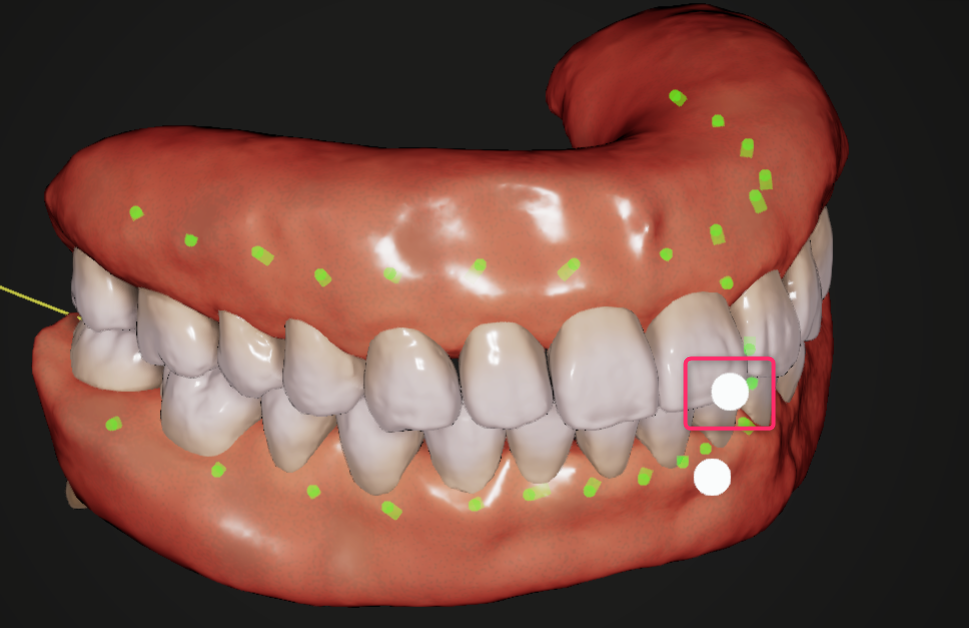
Then the arrows to control the upper arch will be shown.
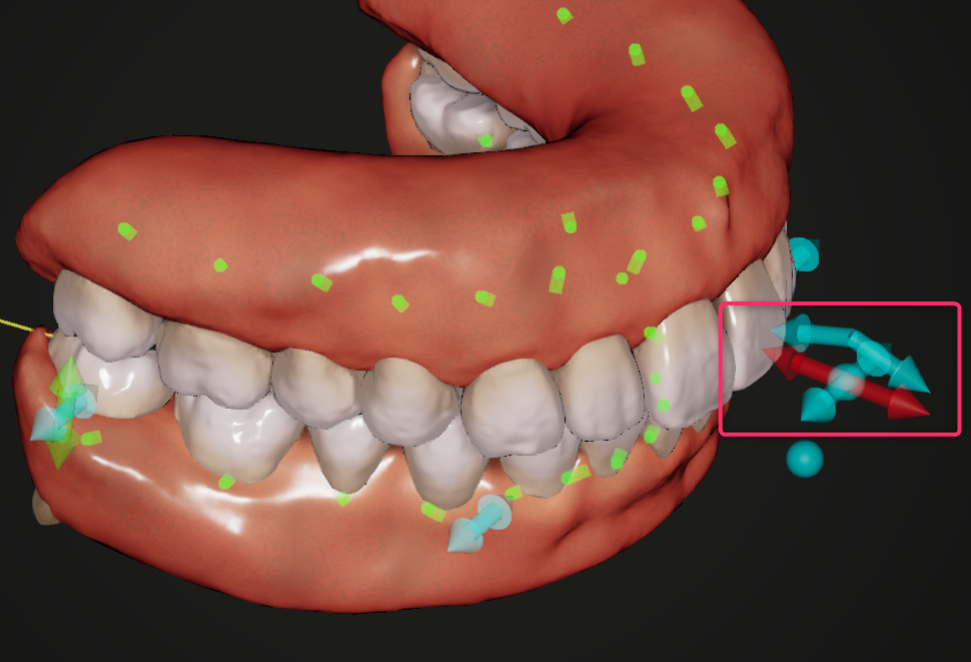
The slanted arrows control the upper incisor torque, and the red arrows control the overjet.
Incisor torque
By default, upper incisors are moved with controlled tipping when they are retracted. If you want apply more torque or reduce torque to achieve other movement pattern such as bodily movement, you can apply additional torque.
You can also show cephalometric VTO and refer ceph analysis to determine the lower incisor position.
Please see Cephalometric VTO as well.
Overjet
Overbite will be adjusted automatically to make incisor occlusion: when overjet is large, overbite will be deep. In the following cases, you may need to decrease the overjet.
- Large anterior ratio
- Class Ⅲ tendency of molar relationship
- Need to decrease upper distalization
- Need to raise smile line without changing lower incisor position